


Stay informed with helpful content on AI document processing, document extraction, and smarter business workflows.
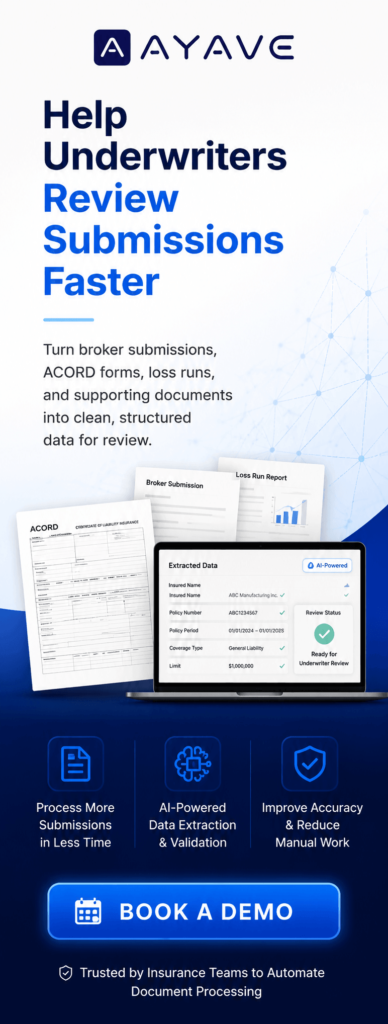
AI document processing helps insurance teams extract data from scanned forms, PDFs, and image-based documents faster.
Scanned forms may look digital, but the data is often trapped inside the file.
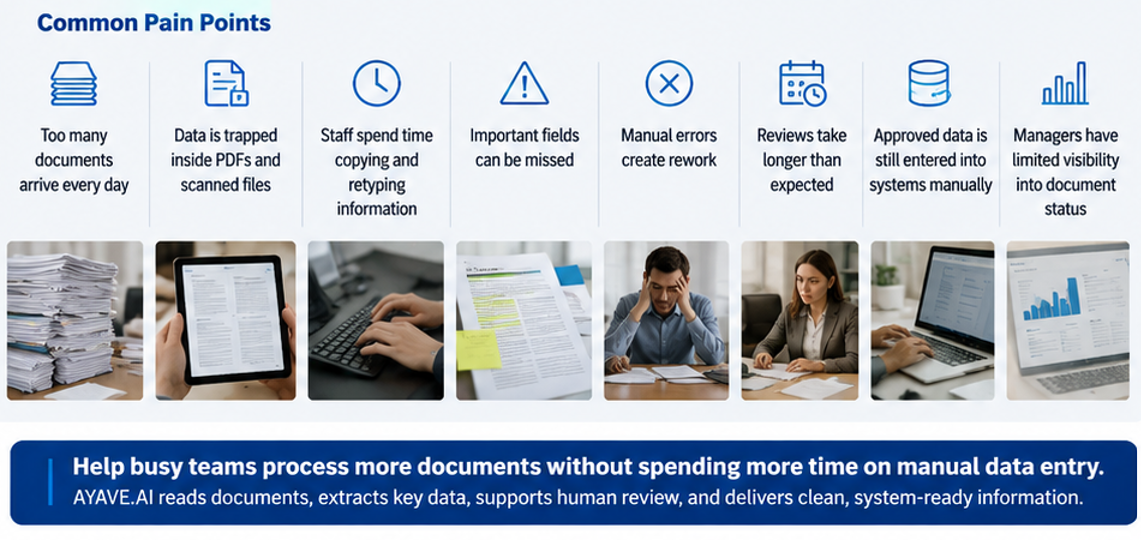
Manual data entry can create delays, errors, rework, and document backlogs.
Traditional OCR can read text, but it may struggle with unclear scans, different layouts, and complex insurance documents.
AI document processing can identify key fields such as policy numbers, claim numbers, customer names, dates, invoice values, and missing information.
Claims teams, underwriters, operations teams, and back-office teams can use AI to reduce repetitive document handling.
Human review still matters. AI supports the team by extracting and organizing data for faster checking.
AYAVE.AI helps insurance teams turn scanned forms into usable data for better workflow speed, accuracy, and control.
AI document processing helps insurance teams extract data from scanned forms, PDFs, claims files, and supporting documents faster. It reduces manual data entry, improves accuracy, and helps teams move document data into the right systems with less delay.
Scanned forms may look digital. However, many of them still behave like paper. The information is visible to people, but it is not always easy for systems to read, search, or use.
As a result, insurance teams still spend hours opening files, reading details, copying data, checking missing fields, and entering the same information into claims, policy, CRM, or internal systems.
That is why scanned documents can slow down the whole workflow.
With AI document processing for scanned forms, insurance teams can turn scanned files into structured data. Then, claims handlers, underwriters, operations teams, and back-office teams can review information faster and focus on higher-value work.
Many insurance teams have already moved away from paper files. Documents now arrive by email, portals, shared folders, and internal systems.
However, the problem has not fully disappeared.
A scanned PDF may still be only a flat image. Your team can see the details, but your software may not understand them.
For example, a scanned claim form may include:
If this data is locked inside the document, someone still needs to read it and type it into another system.
Because of this, a digital file can still create a manual process.
AI document processing can support many scanned document types used in insurance workflows.
These may include:
Some documents are clear and typed. Others may be scanned, tilted, low quality, handwritten, or incomplete.
Also, insurance documents do not always follow one fixed layout. A broker submission may look different from a claims form. A medical report may look different from a repair invoice.
Therefore, teams need more than simple scanning.
Insurance teams may receive scanned documents in many formats.
Common file formats include:
File size requirements can depend on the final system setup. For example, one team may process small single-page forms. Another team may process large multi-page document bundles.
AYAVE.AI can be configured based on document type, file volume, workflow needs, and review process.
Scanned forms can enter an insurance workflow from many sources.
They may come from:
Because these documents come from different sources, the quality and format can vary.
Some files may be easy to read. However, others may be unclear, incomplete, or badly scanned. As a result, manual review takes longer.
Scanned forms are usually handled by teams that manage claims, policies, submissions, and back-office operations.
This may include:
These teams often need to open each document, check the details, and enter data into another system.
However, this work is repetitive. It also takes skilled people away from review, decision-making, and customer support.
Traditional OCR can help turn scanned text into digital text. However, OCR often works best when documents follow a clear and fixed layout.
Insurance documents are different.
A claim form may have one structure. A repair invoice may have another. A broker submission may include tables, notes, and attachments. Also, a scanned document may be unclear or angled.
Because of this, traditional OCR may miss fields, capture the wrong data, or send documents back for manual checking.
The real challenge is not only reading text. The bigger challenge is understanding what the text means in an insurance workflow.
That is where AI document processing becomes more useful.
AI document processing helps insurance teams read, extract, organize, and review document data.
It can help identify key information such as:
Also, AI can help route documents to the right workflow. For example, a claim form can move to the claims team, while a broker submission can move to underwriting.
As a result, the team does not need to spend as much time sorting documents by hand.
AI document processing for scanned forms can support insurance teams in several practical ways.
Teams can process documents faster when they do not need to type every field manually.
This helps reduce delays in claims review, policy servicing, and back-office work.
Manual typing can create mistakes. A wrong number, missing date, or incorrect name can delay the next step.
AI document processing can extract data in a structured way. Then, people can review and approve it before it moves forward.
Insurance professionals should not spend most of their day copying information from scanned PDFs.
AI helps reduce repetitive work. Therefore, teams can spend more time on review, decisions, and customer support.
When document data is extracted and reviewed in a structured process, managers get better visibility.
They can see which documents are pending, which files need human review, and where delays happen.
AI document processing does not remove the need for people.
Instead, it supports human review.
AI can extract the first layer of data. Then, your team can check, verify, and approve the information.
This is important for insurance workflows because accuracy, compliance, and decision quality still matter.
The goal is not to replace claims handlers, underwriters, or operations teams. The goal is to reduce manual work so they can focus on more important tasks.
This solution is useful for insurance teams that handle scanned forms, PDFs, and document-heavy workflows.
It is especially useful for:
If your team spends too much time opening files, reading scanned forms, copying data, and checking missing fields, AI document processing can help make the process faster and easier to manage.
AI document processing uses artificial intelligence to read documents, extract important data, and prepare that data for review or system entry. It helps reduce manual typing and document handling.
AI document processing can support common formats such as scanned PDFs, image-based PDFs, JPG, JPEG, PNG, TIFF, and multi-page document files. Final file size and format limits depend on the system setup.
Yes. AI document processing can help read claim forms, ACORD forms, policy application forms, broker submissions, medical records, repair invoices, and other insurance documents.
Claims handlers, underwriters, underwriting assistants, operations teams, data entry teams, policy servicing teams, and compliance teams can use AI document processing to reduce manual review and data entry.
AI document processing can go beyond OCR. OCR mainly reads text, while AI document processing can help understand document type, extract key fields, identify missing information, and support workflow routing.
No. AI document processing supports insurance teams. It reduces repetitive work, while people still review, verify, and approve important information.
Final Thoughts
AI document processing helps insurance teams turn scanned forms into usable data.
Scanned PDFs may look digital, but they can still slow teams down when the data cannot move into claims, policy, CRM, or internal systems.
With AI document processing for scanned forms, insurance teams can reduce manual entry, improve accuracy, route documents faster, and give skilled teams more time for review and decision-making.
If scanned forms are slowing your insurance workflow, AYAVE.AI can help your team extract, validate, and move document data faster.